
PictureThis - Plant Identifier
Glority Global Group Ltd.Education
4.637.38K Reviews
- Version
- 5.40.0
- Installs
- 50.00M
- Age Rating
- Everyone
Screenshots
Our Review of PictureThis - Plant Identifier
 Analysis by Appyee
I get the most out of PictureThis - Plant Identifier when I treat it as a field guide, not an infallible botanist. A photo can turn a casual walk into a small learning moment, and the care information gives me a reason to open the app again after identification. The useful question is not only “What is this plant?” but also “What should I check before acting on the answer?”
Where identification can get tricky
Plant photos are rarely as tidy as the pictures in a book. Leaves overlap, flowers may be missing, and a young plant can look unlike a mature one. In those situations, I take a clear image of the feature I want identified rather than a distant shot of the whole bed. If the first result seems surprising, I try another angle and compare the visible details with the description instead of accepting the first label automatically.
This matters most when several plants look alike. A flowering plant may be easier to distinguish when its bloom is visible, while a tree may offer more useful clues in its leaves, bark, or overall shape. I find it sensible to think of an identification as a strong lead to investigate, particularly before changing a plant’s care routine or removing something from a garden.
Small setup checks that prevent wasted attempts
Before taking a picture, I make sure the plant is in focus and that the important part fills enough of the frame to inspect. A busy background can make a photo harder to read, so moving closer or choosing a single leaf often helps. If the image looks blurred on the phone, retaking it is usually a better first step than repeatedly submitting the same shot.
It also helps to check that the app is current and that the phone is running a compatible system. PictureThis is an education app from Glority Global Group Ltd.; its current version is 5.19.0 and its minimum operating-system requirement is version 9. I would check those basics if the app behaves unexpectedly, then close and reopen it before assuming the identification feature itself is at fault.
A more useful plant-care workflow
After getting a likely match, I read the care guidance as a starting point and compare it with the plant’s real setting. A recommendation that makes sense for a plant in one climate or a sunny yard may need adjustment for a shaded balcony or a pot indoors. I would note what the app says, then consider light, soil, and watering conditions I can actually observe rather than following a tip mechanically.
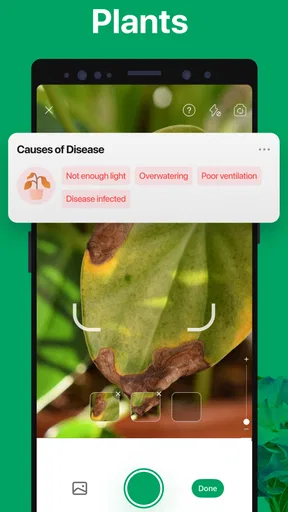
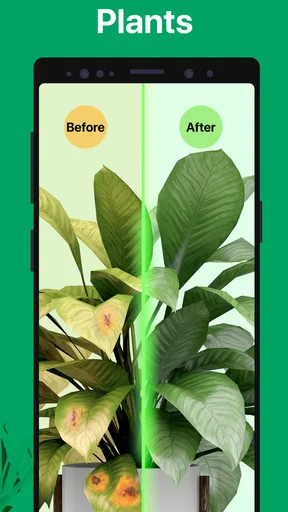
The disease-diagnosis feature can be useful when a leaf looks unhealthy, but a photo cannot tell the whole story by itself. I would photograph the affected area clearly, inspect whether the problem appears on one leaf or across the plant, and use the result to decide what to investigate next. If the plant is deteriorating quickly, or the diagnosis would lead to a major treatment decision, a local gardening expert or a trusted horticultural reference is a safer next step.
When the problem is somewhere else
Not every failed identification means the app is wrong. A low-quality photo, an unusual growth stage, or a plant with few distinctive visible features can all leave too little for a confident match. I would try a fresh picture in better light and include a different identifying feature before drawing a conclusion.
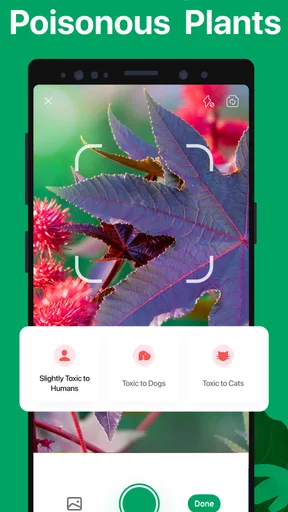
There is also a difference between naming a plant and solving every problem it has. Care advice can help me ask better questions, but local weather, pot size, drainage, and recent changes in care all affect what a plant needs. For a safety-sensitive question, such as whether an unknown plant is safe to eat or touch, I would not rely on a photo identification alone.
Getting Started with PictureThis
First things first, downloading PictureThis is a breeze. Available on both Android and iOS, the app doesn't take up much space and installs quickly. Once you open it, you're greeted with a simple, user-friendly interface. The home screen is clean and intuitive, making it easy to dive right into plant identification.
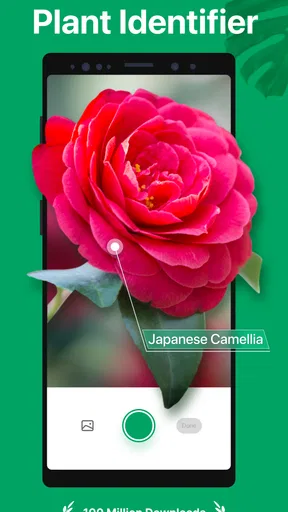
Now, I'm not exactly a tech wizard, but navigating through the app was straightforward. The main feature is the camera button prominently displayed, encouraging you to snap a photo of any plant you're curious about.
Snapping and Identifying
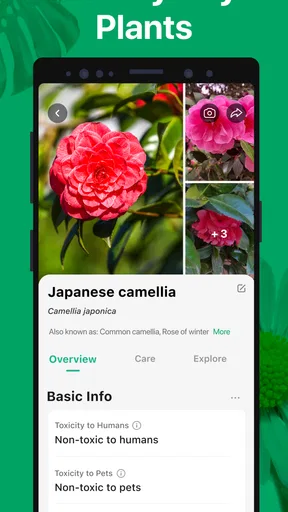
Using the camera feature, I took a picture of a plant in my backyard that I've always wondered about. In just a few seconds, the app worked its magic and identified it as a Japanese Maple. It not only gave me the name but also a treasure trove of information. From care tips to its origin, it felt like I was reading a mini biography of the plant right on my phone.
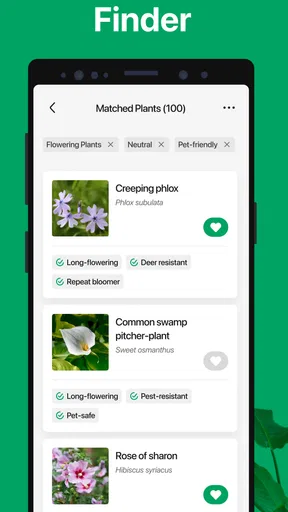
PictureThis also offers suggestions for similar plants, which is pretty cool if you're a plant enthusiast looking to expand your knowledge or garden collection. The accuracy of the identification impressed me, and I found myself wanting to test it out on more plants.
Features Beyond Identification
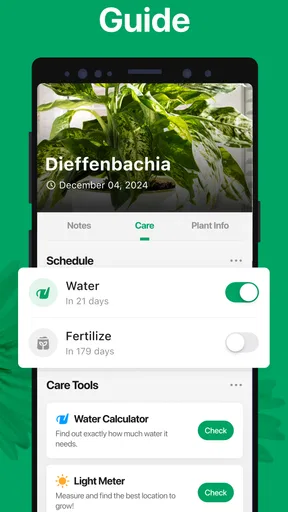
The app doesn't stop at just identifying plants. There's a whole section dedicated to plant care. Whether you're dealing with pests or trying to figure out the best soil, the app has detailed guides to help you out. There's even a plant journal feature, allowing you to document and track your garden's progress over time.
Another neat feature is the "Explore" section, where you can scroll through a variety of plants and learn about them at your leisure. It's like having a digital encyclopedia in your hands. Plus, the app keeps things fresh with regular updates and new content.
Making it fit everyday gardening
A practical way to use the journal is to record a plant when it is healthy, then add another entry if its appearance changes. That gives me a point of comparison instead of relying on memory when a leaf yellows or growth slows. I would keep notes brief—what changed and when—so the record remains useful rather than becoming another gardening chore.
For example, imagine I bring home a plant from a garden center and forget its name before I get around to repotting it. I can photograph it, check the suggested identification, and use the care guide to frame the next questions: is its current spot bright enough, and does the soil seem to drain well? The app can help me organize that investigation, while the plant’s actual response tells me whether my adjustments are working.
This workflow is especially handy for people who care for several unfamiliar plants, or who enjoy learning names during walks and then looking them up later. It is less compelling if I only want a one-time answer and have no interest in reading about care or keeping track of plants; a general image-search tool or a printed field guide may be enough for that simpler need.
How it compares with other ways to identify plants
Compared with searching the web manually, a camera-first plant app removes much of the guesswork about which words to type. That convenience is its main advantage: I can start with a photo, then follow up with plant information and care guidance in one place. A traditional field guide is slower, but it encourages close attention to visible features and can be a better learning tool when I want to understand why a plant belongs to a particular group.
General image search can also be useful for checking a result against several pictures, especially when the plant is common. Its weakness is that search results may mix lookalikes and do not necessarily provide a coherent care workflow. I would use PictureThis for a quick first identification and ongoing reference, then compare with a reliable regional guide when local species or a consequential decision is involved.
Free use, paid access, and expectations
The app is free to download and is rated for Everyone. Its average rating is 4.6 from around 733,000 ratings, with about 35,000 written reviews and over 50 million installs, so it has clearly found a broad audience. Those figures suggest that many people find it useful, but they do not guarantee that every photo will produce a correct match or that every feature will suit my routine.
There are in-app purchases, with individual items ranging from $1.99 to $49.99. I would check the current purchase screen carefully before confirming anything and decide first how often I expect to use the app. Casual identification may be all I need, while someone who regularly diagnoses plant problems or wants to use the wider care tools may see more value in paid access. I would not subscribe just because a prompt appears during setup; I would first explore what I can do without paying and judge whether the extra access solves a real need.
The older description of premium access mentions additional identification and browsing benefits, but plans and screens can change. My practical advice is to read the terms shown in the app at the moment of purchase rather than assume a particular feature is included. That small check avoids paying for something I expected but do not actually use.
Who will get the most from it
I would recommend it to curious beginners, houseplant owners who want a starting point for care research, and gardeners who like keeping a record of what is growing. It also suits families who want to turn a walk into a low-pressure learning activity: take a picture, look at the likely name, and discuss what clues make the plant distinctive. The education angle works best when the app sparks observation rather than replaces it.
Someone who needs definitive identification for a medical, food-safety, or conservation decision should choose a qualified expert or authoritative local source instead. The same goes for a specialist who needs a rigorous botanical determination: an app’s convenience is not a substitute for examining a specimen in context. I also would not choose it as my main tool if I dislike camera-based suggestions, do not want to manage a collection, or only need a basic search once in a while.
Subscription Options
While the basic version of the app is free, there's a premium subscription that unlocks additional features. This includes unlimited plant identifications, access to a broader database, and ad-free browsing. If you're a serious plant lover, the premium version might be worth the investment. For casual users, the free version provides plenty of value.
Overall Experience
After spending some quality time with PictureThis, I can honestly say it's a game-changer for anyone interested in plants. It's perfect for those "what plant is that?" moments and offers so much more than just identification. The community aspect, where you can share findings and connect with fellow plant enthusiasts, adds a social element that I didn't expect but thoroughly enjoyed.
In a world where technology often feels overwhelming, it's refreshing to find an app that simplifies and enhances our connection with nature. Whether you're a seasoned gardener or just someone who enjoys a stroll in the park, PictureThis - Plant Identifier is a delightful addition to your smartphone arsenal.
So, if you're ready to explore the plant world with a handy guide in your pocket, give PictureThis a try. You might just find a new favorite hobby!
My practical verdict
For me, the strongest case for PictureThis is the path from curiosity to action: a photo gives me a candidate name, the accompanying material helps me learn more, and a journal can make later care decisions easier to follow. It is an inviting introduction to plant identification, not a promise that a camera can settle every botanical question.
My recommendation is to try it with plants whose features are easy to photograph, compare uncertain results with another source, and use care suggestions as prompts to observe rather than rules to obey. If you want a convenient companion for everyday plant curiosity, it is worth exploring. If your need is a definitive answer or a single quick lookup, a specialist or simpler reference may serve you better.
Privacy and Permissions
See what permissions an app requests and how it handles your data.
- Photos/Media/Files
- read the contents of your USB storage, modify or delete the contents of your USB storage
- Storage
- read the contents of your USB storage, modify or delete the contents of your USB storage
- Camera
- take pictures and videos
- Wi-Fi connection information
- view Wi-Fi connections
- Other
- view network connections, full network access, run at startup, control vibration, prevent device from sleeping
Verdict
Strengths of PictureThis - Plant Identifier
- Accurate plant identification in seconds.
- Comprehensive plant care tips provided.
- User-friendly interface for easy navigation.
- Offline mode available for remote areas.
- Large database with frequent updates.
Limitations of PictureThis - Plant Identifier
- Requires subscription for full features.
- Ads can be intrusive in free version.
- Some plants may require multiple photos.
- Limited community interaction features.
- Occasional misidentification in rare plants.
Other Releases by Glority Global Group Ltd.
View All
Mobile Scanner App - Scan PDF
Productivity4.7

Plant Parent: Plant Care Guide
Lifestyle4.5

GrowIt: Vegetable Garden Care
Lifestyle4.3
Similar Picks in This Category
View All
Duolingo: Language Lessons
Duolingo4.7

Google Classroom
Google LLC2.8

Unacademy: Learn & Crack Exams
Unacademy3.2

Bible App for Kids
Life.Church4.4

Cake - Learn English & Korean
Cake Corp.4.7

Brainly: AI Homework Helper
Brainly4.5
Frequently Asked Questions
What is PictureThis - Plant Identifier and how does it work?
PictureThis - Plant Identifier is an app designed to help users identify plants using their smartphone camera. By taking a picture of a plant, the app uses AI technology to analyze the image and provide detailed information about the plant species, care instructions, and more. It's a handy tool for both novice and experienced gardeners.
Is PictureThis - Plant Identifier free to use?
PictureThis offers a free version with basic features, such as plant identification and limited care tips. However, to access premium features like unlimited identifications, advanced plant care guides, and ad-free experience, users need to subscribe to the premium version, which comes with a monthly or annual fee.
How accurate is the plant identification in PictureThis?
The app boasts a high accuracy rate, often exceeding 90%, thanks to its extensive plant database and advanced AI technology. However, accuracy can vary based on the quality of the photo and the uniqueness of the plant. Users are encouraged to take clear, well-lit photos for the best results.
Can PictureThis - Plant Identifier help with plant care?
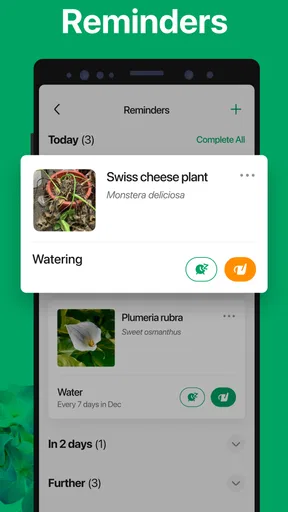
Yes, PictureThis provides detailed care guides for a wide range of plants. The app offers tips on watering, sunlight requirements, pest control, and more, making it a valuable resource for those looking to improve their plant care skills. Premium users have access to in-depth advice and personalized care reminders.
What permissions does PictureThis require on my device?
The app requires access to your camera for photo identification, and storage to save identified plant images. It may also request location access to offer regional plant suggestions. Users can manage these permissions in their device settings to ensure privacy and security.
